
Beyond motion planning. Build robot cells as code.
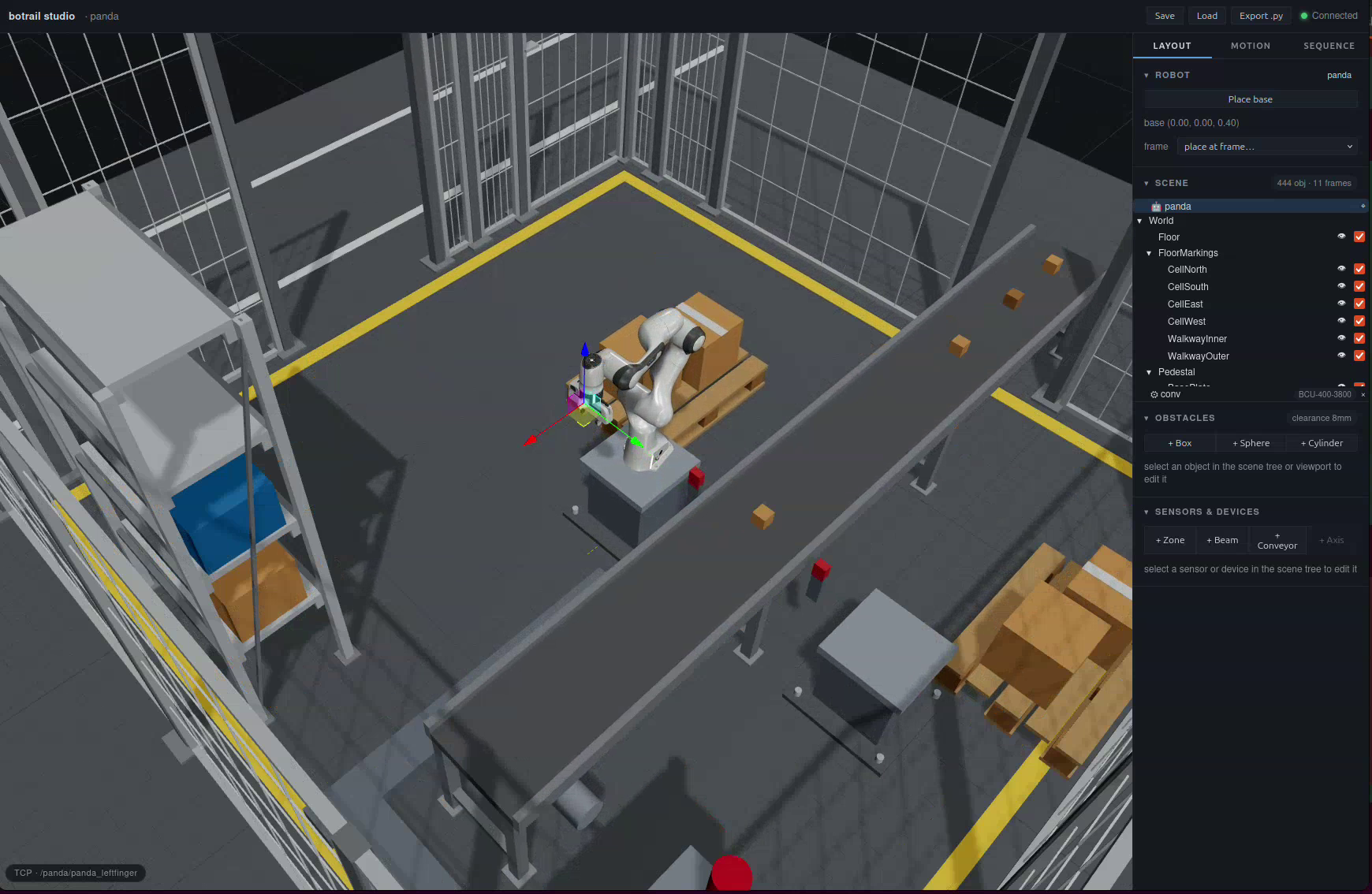
pip install botrail, a few lines of Python, and you get an interactive 3D
studio in your browser for building robot cells — robots, obstacles, conveyors,
sensors, and PLC-style sequences. The core is written in Rust: no ROS, no system
dependencies, no GPU.
Get started Try the live studio
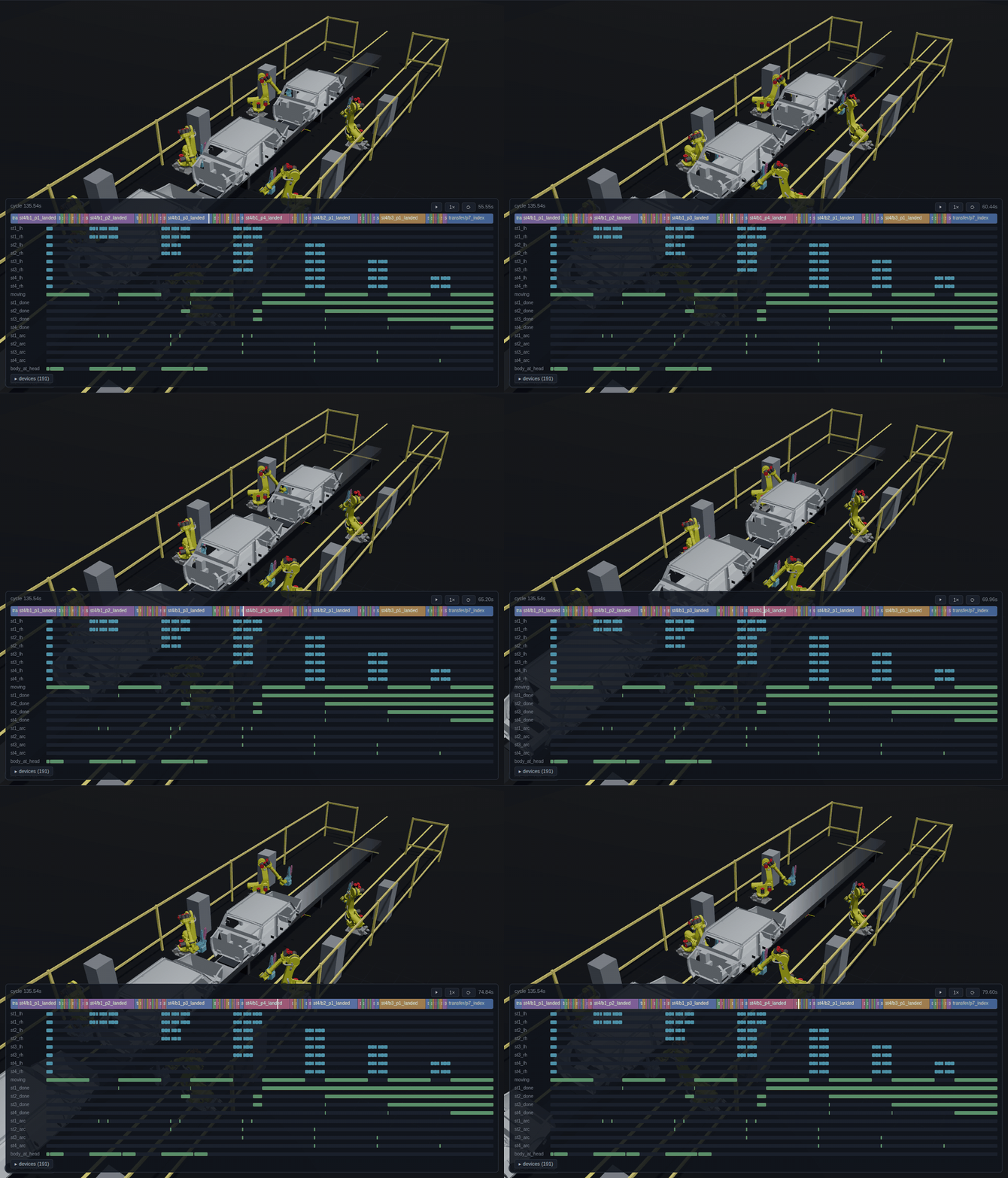 Four stations, eight arms, three bodies in flight — one program per
station plus a transfer program, baked into one deterministic takt
(
Four stations, eight arms, three bodies in flight — one program per
station plus a transfer program, baked into one deterministic takt
(examples/welding/weld_line_demo.py --stations 4).
What makes it different
A cell in botrail is text — Python, a .botrail project, or USD. It diffs in
git, it bakes into a bit-identical timeline every run, and it regression-tests
in CI. Motions are planned, not taught point by point, so moving a pallet or
a sensor doesn't break the cell: re-simulate and read the new cycle time.
import botrail as bt

robot = bt.Robot.from_urdf("arm.urdf")     # or from_xacro(...) / from_usd(...)
scene = bt.Scene(robot)
scene.add_box("table", size=(0.6, 0.6, 0.05), position=(0.4, 0.0, 0.0))

bt.studio(scene)                           # opens the 3D studio in your browser
Give the environment behavior, write the process as steps, and bake it:
tl = scene.simulate_sequence("cycle")   # deterministic: bit-identical every run
print(tl.duration)                      # cycle time in seconds
tl.export_usd("cycle.usda", fps=60)     # replay in usdview / Omniverse / Blender
Because the bake is deterministic, the same numbers are your tests:
def test_cell_cycle():
    tl = build_cell().simulate_sequence("cycle")
    assert tl.duration <= 8.0                # cycle-time budget
    assert tl.step_span("feed").end <= 2.0   # the crate arrives on time
    assert tl.signal("eye").rising_edges()   # the handshake happened
    assert tl.min_clearance() > 0.05         # closest approach, meters
Move the beam sensor downstream and the cycle grows by a predictable amount — a layout edit becomes a failing test instead of a shop-floor surprise.
Feature tour
-
Robots from URDF, Xacro, or USD
Including Isaac Sim articulations. Mimic joints are followed, so a two-finger gripper costs one DOF, not two. Multiple robots per cell, with tick-checked inter-robot collisions and zone interlocks.
-
USD scene import
usda/usdc/usdz with references, variants, and instancing. Stages become obstacles and named mount frames, normalized to meters and Z-up.
-
Environments that behave
A PLC-style step sequencer, zone/beam sensors, conveyors and linear axes, and conveyor tracking: taught poses ride the moving part, so the belt never stops for the pick.
-
Assertable timelines
step_span(),signal(), andmin_clearance()turn a bake into pytest-able cell checks that run in CI. -
Open deliverables
USD animation, CSV/JSON, robot programs (URScript), Python code generation — and the engineering documents: I/O list, bill of materials, layout sheet (SVG/DXF), cell report, all derived from the same script. Isaac Sim recordings play back through the same pipeline.
-
Runs in the browser
The wasm build serves the full studio as a static page, no server. Drop a USD file straight into the viewport.
Where to go next
| If you want to… | Read |
|---|---|
| Install the package and check it works | Installation |
| Load a robot, plan a motion, open the studio | Quickstart |
| Build a cell that runs a cycle and test it | Your first cell |
| Watch real cells get built, step by step | Tutorials |
| Go deep on one topic — tracking, sensors, export… | Guides |
| Learn the studio UI | The studio |
| Understand the positioning and the trade-offs | Why botrail |
| Look up a method | API reference |
| Build from source or contribute | Contributing |